
News by Jeroen De Dauw. Updated on March 9, 2026
AI Assistant: An AI Chatbot for MediaWiki
Your wiki users can now ask questions in natural language and get answers grounded in your wiki content. We are happy to announce our new MediaWiki AI Assistant.
What Is AI Assistant?
AI Assistant adds a chatbot widget to every page of your wiki. Your users type a question in plain language and get an answer drawn from your wiki's content.
Source citations tell you what pages the answers are based on and inline links allow for easy navigation.
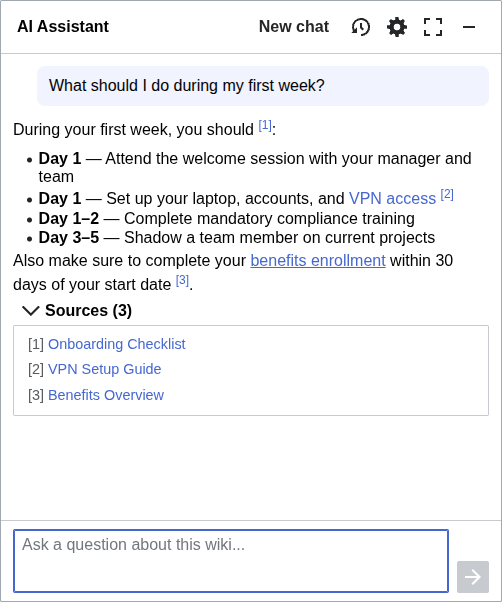
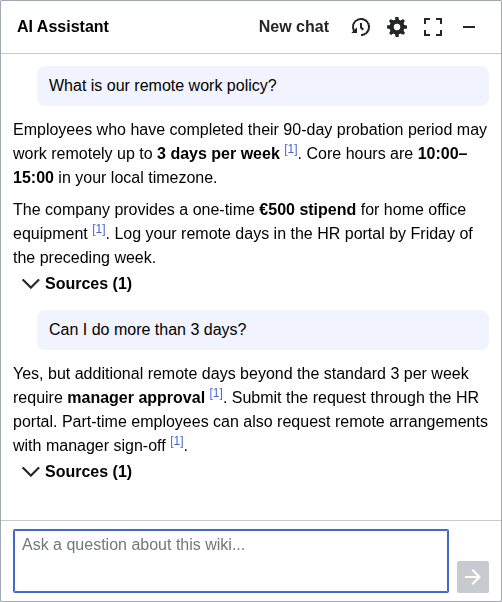
Instead of browsing categories or guessing the right search terms, your users just ask. The AI retrieves relevant pages and synthesizes them into a single answer.
Capabilities
The chatbot is permission-aware: answers only draw from content the current user is allowed to see. If your wiki has restricted namespaces or role-based access, the AI respects those boundaries.
Users can save and resume conversations. The conversation history persists across page navigations and browser sessions, so you can pick up where you left off.
AI Assistant is multilingual. Your users can ask questions in their language of choice and get relevant answers, even if your wiki content is in other languages. The UI itself is also available in multiple languages.
You can choose your AI provider: Anthropic Claude, OpenAI ChatGPT, Mistral, Google Gemini, or the Swiss open model Apertus. Any OpenAI-compatible endpoint also works, including sovereign EU clouds and models you host yourself.
Configuring AI Assistant
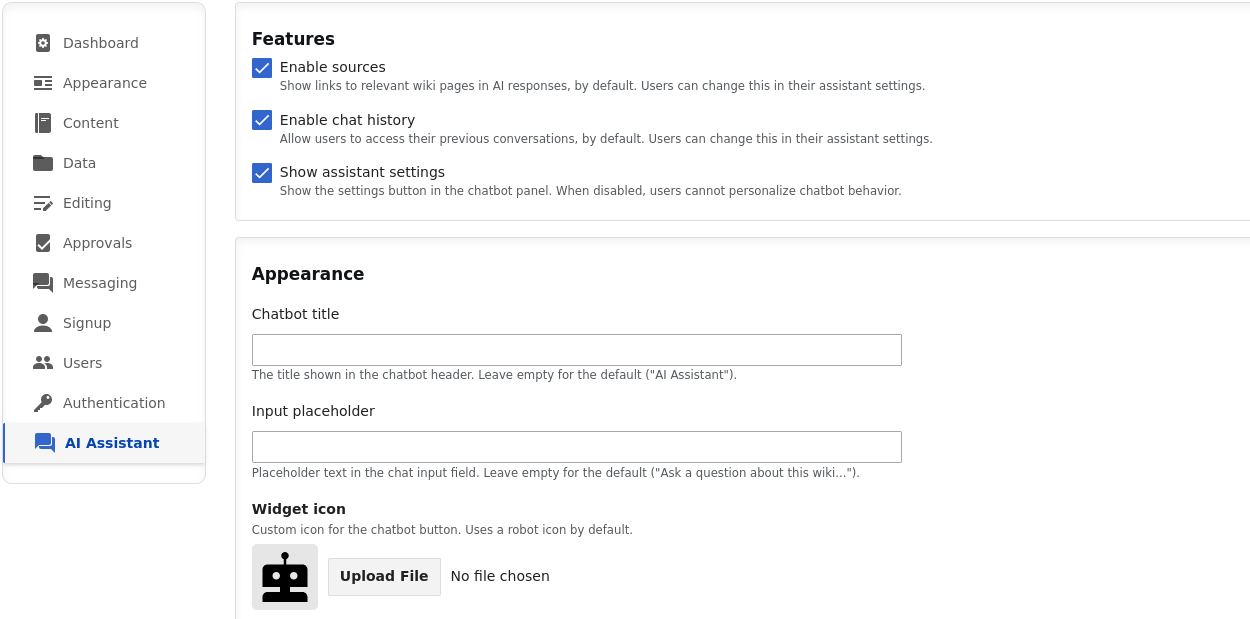
You can configure your AI Assistant through the Admin Panel.
The dedicated AI Assistant tab lets you set the AI provider, toggle features like source citations and conversation history, and customize the widget's appearance including its title, placeholder text, and icon.
We will likely add further customization options such as system prompt, namespace controls, and user-group-based access controls in the near future.
Using AI Assistant
The chatbot widget appears on every page of your wiki. You can navigate between pages while waiting for a response without losing it. The answer will be there when you come back.
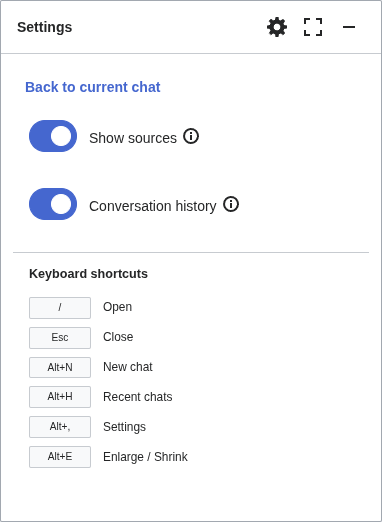
Each user can personalize their experience via the settings panel: toggle source citations on or off, and enable or disable conversation history.
Conversation history is accessible via the history panel. Resume, view, or delete your previous conversations.
Keyboard shortcuts
Press / from any page to open the panel, Escape to close it,
and use Alt combinations for quick actions like starting a new chat,
browsing history, or toggling the enlarged view.
Get Started
AI Assistant is available via ProWiki and our other MediaWiki hosting options. Once we've made it available for your wiki, simply enable it via the Admin Panel and enjoy the highly-integrated AI chatbot experience. Contact us for a demo or a quote.
See Also
AI Assistant is one of several chatbot extensions for MediaWiki. If you want to see how it compares, read our MediaWiki Chatbot Extensions Compared article.
Explore more of our MediaWiki AI work, including the MediaWiki MCP Server.